

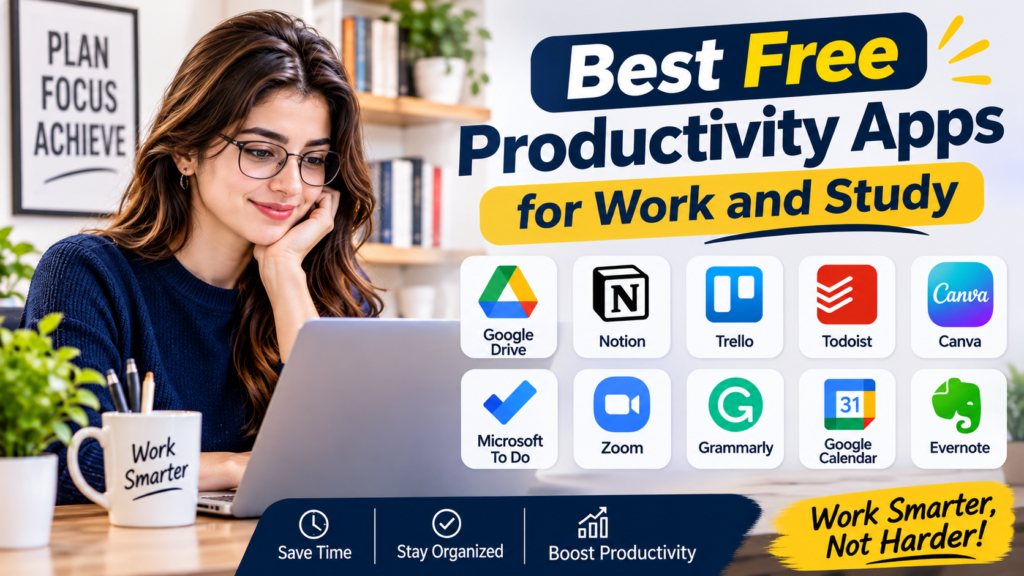
Staying organized can be challenging when you have multiple tasks, deadlines, assignments, meetings, and personal responsibilities to manage. Whether you are a student preparing for exams or a professional handling daily work, the right productivity apps can make your routine easier and more organized.
The good news is that you do not always need expensive software to become more productive. Many applications offer free versions with useful tools for managing tasks, taking notes, organizing projects, creating schedules, and improving focus.
In this guide, we will explore some of the best free productivity apps for work and study, explain what each application does, and help you choose the right tools for your daily routine.
1. Notion: Best for Organizing Notes, Tasks, and Projects
Table of Contents
Notion is one of the most flexible productivity apps available. It allows users to create notes, manage projects, organize information, and build personal workspaces in one place.
Students can use Notion to organize class notes, create study schedules, track assignments, and prepare for examinations. Professionals can use it to manage projects, record meeting notes, create task lists, and organize business information.
One of its biggest advantages is customization. You can create simple pages or build detailed dashboards depending on your requirements.
Key Features:
- Create notes and documents.
- Organize projects and assignments.
- Build personal planners and task databases.
- Use ready-made templates.
- Organize information in one workspace.
Notion offers a free plan for personal use, making it a useful starting point for students and individuals who want an all-in-one organization tool. Some advanced features and team capabilities require paid plans.
2. Microsoft To Do: Best for Daily Task Management
Microsoft To Do is a simple task management application designed to help users remember important responsibilities and complete their daily activities.
You can create different lists for work, study, shopping, personal goals, and other activities. Each task can include a due date, reminder, and additional notes.
The My Day feature is particularly useful because it allows you to select the tasks you want to focus on each day.
For students, this app can help track homework, assignments, and examination preparation. Professionals can use it to manage deadlines, meetings, and everyday responsibilities.
Key Features:
- Create unlimited personal task lists.
- Add reminders and due dates.
- Organize work and personal responsibilities.
- Create daily task plans.
- Sync tasks across supported devices.
Microsoft To Do is free and works well for people who prefer a straightforward task management system without unnecessary complexity.
3. Google Keep: Best for Quick Notes and Reminders
Google Keep is a convenient application for saving ideas, writing short notes, and creating checklists.
Sometimes you need to remember something quickly, such as an assignment deadline, an important phone number, a shopping item, or an idea for a project. Google Keep allows you to save this information within seconds.
You can also organize notes using colors and labels, making it easier to find important information later.
Students can use it to save short revision notes, reminders, and study ideas. Employees can use it for meeting notes, daily reminders, and quick task lists.
Key Features:
- Create text notes and checklists.
- Add voice notes and images.
- Organize notes using labels and colors.
- Set reminders.
- Access notes across supported devices.
Google Keep is free with a Google account and is especially useful for people who want a fast and simple note-taking application.
4. Trello: Best for Visual Project Management
Trello is a project management application that helps users organize tasks through visual boards, lists, and cards.
Instead of keeping everything in one long task list, you can divide projects into different stages. For example, a board might include three columns: To Do, In Progress, and Completed.
You can move cards between these columns as your work progresses.
Students can use Trello to manage group assignments, research projects, and examination preparation. Small businesses and remote teams can use it to organize marketing campaigns, content calendars, and work responsibilities.
Key Features:
- Create project boards.
- Organize tasks using cards and lists.
- Add deadlines and checklists.
- Attach files to tasks.
- Collaborate with other people.
Trello offers a free plan with limits on certain workspace features. It is a good option for individuals and small teams that prefer visual organization.
5. Google Calendar: Best for Managing Time and Schedules
Google Calendar is one of the most useful free applications for organizing your daily schedule.
You can create events, schedule meetings, set reminders, and plan important activities. It also helps you understand how much time you have available during the day.
Students can create separate schedules for classes, examinations, assignments, and personal activities.
Professionals can use it to manage meetings, work shifts, appointments, and project deadlines.
Key Features:
- Create daily, weekly, and monthly schedules.
- Set reminders for important activities.
- Schedule meetings and appointments.
- Create separate calendars.
- Access your schedule across supported devices.
Google Calendar is free for personal use and can be particularly helpful for people who struggle with time management.
6. Microsoft OneNote: Best for Detailed Study Notes
Microsoft OneNote is a digital notebook designed for collecting and organizing information.
Unlike simple note-taking applications, OneNote allows users to create notebooks with different sections and pages. This makes it easier to organize information for multiple subjects or projects.
Students can create separate notebooks for mathematics, science, business studies, or other subjects. They can also combine written notes, images, drawings, and other information.
Professionals can use OneNote to record meeting discussions, prepare research notes, and organize work-related information.
Key Features:
- Create digital notebooks.
- Organize notes into sections and pages.
- Add images and drawings.
- Search through saved notes.
- Access notebooks across supported devices.
OneNote is available free, making it a useful option for students and professionals who need a more organized note-taking system.
7. Todoist: Best for Organizing Personal and Work Tasks
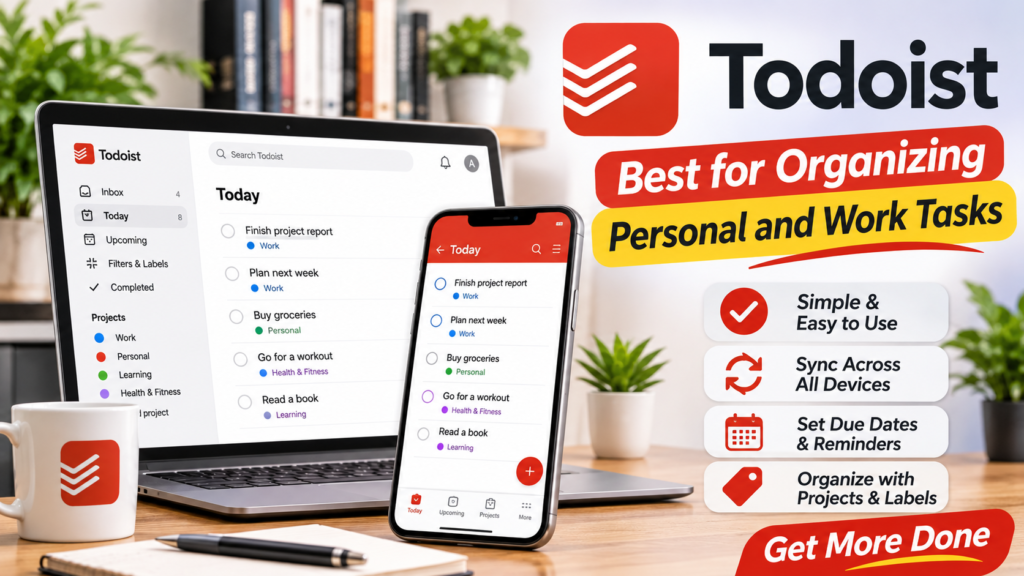
Todoist is a popular task management application that helps users organize responsibilities and track progress.
You can create projects, add tasks, set deadlines, and organize your responsibilities into different categories.
For example, a student can create separate projects for assignments, examinations, and personal study goals. A professional can organize tasks according to clients, projects, and daily work.
The application also offers features that help users prioritize important tasks instead of trying to complete everything at once.
Key Features:
- Create and organize task lists.
- Add due dates and priorities.
- Organize tasks into projects.
- Track completed activities.
- Access tasks across supported devices.
Todoist offers a free plan with limitations on some features and project capacity. It is worth considering if you want a dedicated task management application.
8. Obsidian: Best for Research and Knowledge Management
Obsidian is a powerful note-taking application designed for organizing information and connecting related ideas.
It is particularly useful for students, researchers, writers, and professionals who regularly work with large amounts of information.
One of its most interesting features is the ability to link different notes together. For example, you can connect notes about business, marketing, finance, and technology to build a personal knowledge system.
Obsidian stores notes as local Markdown files, giving users control over their information.
Key Features:
- Create and organize detailed notes.
- Connect related notes using links.
- Build a personal knowledge library.
- Use community plugins.
- Work with locally stored Markdown files.
Obsidian offers free core functionality for personal use. Optional services such as official cloud synchronization and publishing may require payment.
9. Anki: Best for Memorizing Information and Exam Preparation
Anki is a flashcard application designed to help people remember information through spaced repetition.
Instead of reviewing every piece of information repeatedly, Anki helps users review flashcards at intervals designed to support long-term memory.
Students can create flashcards for vocabulary, definitions, formulas, historical dates, scientific concepts, and examination questions.
It can also be useful for language learners who want to remember new words and phrases.
Key Features:
- Create digital flashcards.
- Review information using spaced repetition.
- Organize cards into decks.
- Add images and other learning materials.
- Track your learning progress.
Anki is a particularly useful tool for students who need to memorize large amounts of information. Availability and pricing can differ between its desktop, web, and mobile versions, so check the relevant platform before installing it.
10. Zotero: Best for Academic Research and References
Zotero is a research management application that helps students and researchers collect, organize, and cite academic sources.
When preparing an assignment, research paper, or academic report, keeping track of websites, books, journal articles, and other references can become difficult.
Zotero makes this process easier by allowing users to save research sources and organize them into collections.
It can also help generate citations and bibliographies in different academic styles.
Key Features:
- Save research sources.
- Organize articles, books, and documents.
- Manage references.
- Generate citations and bibliographies.
- Use supported browser tools to collect research.
Zotero is free to use, with limited free online storage and optional paid storage plans. It is especially valuable for university students and academic researchers.
11. Grammarly: Best for Improving Writing
Grammarly is a writing assistance tool that helps users identify grammar, spelling, punctuation, and clarity issues.
Students can use it to review assignments, essays, reports, and emails before submitting them. Professionals can use it to improve business communication, presentations, and workplace messages.
Its suggestions can help make writing easier to understand and more professional.
Key Features:
- Check spelling and grammar.
- Identify punctuation mistakes.
- Suggest improvements to sentence clarity.
- Review written communication.
- Work with supported websites and applications.
Grammarly offers a free version with basic writing assistance. Advanced suggestions and additional writing features may require a paid subscription.
12. Canva: Best for Presentations and Visual Projects
Canva is a design application that makes it easier to create professional-looking visual content without advanced graphic design skills.
Students can use it to prepare presentations, educational posters, assignments, and project graphics. Professionals can create social media posts, business presentations, flyers, and marketing materials.
It provides ready-made templates that users can customize with their own text, images, and colors.
Key Features:
- Create presentations.
- Design posters and documents.
- Make social media graphics.
- Customize ready-made templates.
- Work with images and visual elements.
Canva offers a free plan with many useful design tools. Some premium templates, stock resources, and advanced features require Canva Pro.
Best Free Productivity Apps Compared
Choosing the right application becomes easier when you compare them according to their main purpose.
| App | Best For | Free Option |
|---|---|---|
| Notion | Notes and project organization | Yes |
| Microsoft To Do | Daily task management | Yes |
| Google Keep | Quick notes and reminders | Yes |
| Trello | Visual project management | Yes |
| Google Calendar | Scheduling and time management | Yes |
| Microsoft OneNote | Detailed study notes | Yes |
| Todoist | Personal and work tasks | Yes |
| Obsidian | Research and knowledge management | Yes |
| Anki | Memorization and exam preparation | Yes |
| Zotero | Academic references | Yes |
| Grammarly | Writing assistance | Yes |
| Canva | Presentations and graphic design | Yes |
Free plans may have limitations, and some features are available only through paid subscriptions. Always check the application’s current plan before depending on a particular feature.
How to Choose the Right Productivity App
With so many productivity applications available, choosing the right one can feel confusing. However, you do not need to install every application to improve your productivity.
Start by identifying the problem you want to solve.
If you struggle to remember daily responsibilities, choose Microsoft To Do or Todoist. If you need to organize study notes, consider Notion or OneNote. For scheduling classes and meetings, Google Calendar is a practical choice.
If you work on group projects, Trello can help everyone understand what needs to be completed. Students preparing for examinations may benefit from Anki, while researchers can use Zotero to organize academic references.
You should also consider the following factors:
Ease of Use: Choose an application that is simple enough to use regularly.
Device Compatibility: Check whether the application works on your computer, smartphone, or tablet.
Free Plan Limitations: Understand which features are free and which require payment.
Synchronization: If you use multiple devices, check whether your information can sync between them.
Privacy and Security: Review the application’s privacy policy and security options before storing sensitive information.
How to Build a Simple Productivity System Using Free Apps
You do not need twelve different applications to organize your entire life. In fact, using too many productivity tools can create additional distractions.
A simple system with three or four applications may be enough for most people.
For example, you could use Google Calendar to plan your schedule, Microsoft To Do to manage daily tasks, and Google Keep or OneNote to save notes.
Students can add Anki if they need help memorizing information for examinations. Professionals can use Trello if they regularly manage projects with other people.
Try using your selected applications consistently for a few weeks. Remove any tool that does not provide real value to your routine.
The goal is not to spend more time organizing your work. The goal is to spend less time managing tasks and more time completing them.
Final Thoughts
The best free productivity apps for work and study can help you organize responsibilities, manage time, improve learning, and complete projects more efficiently.
Notion and OneNote are useful for organizing information, Microsoft To Do and Todoist help manage tasks, Google Calendar makes scheduling easier, and Trello supports visual project management. Students can also benefit from Anki and Zotero, while professionals may find Grammarly and Canva useful for everyday work.
You do not need expensive software or a complicated productivity system to become more organized. Start with the tools that solve your biggest problems, learn how to use them properly, and build a routine that works for you.
The best productivity app is ultimately the one that helps you stay organized and complete your work consistently.