

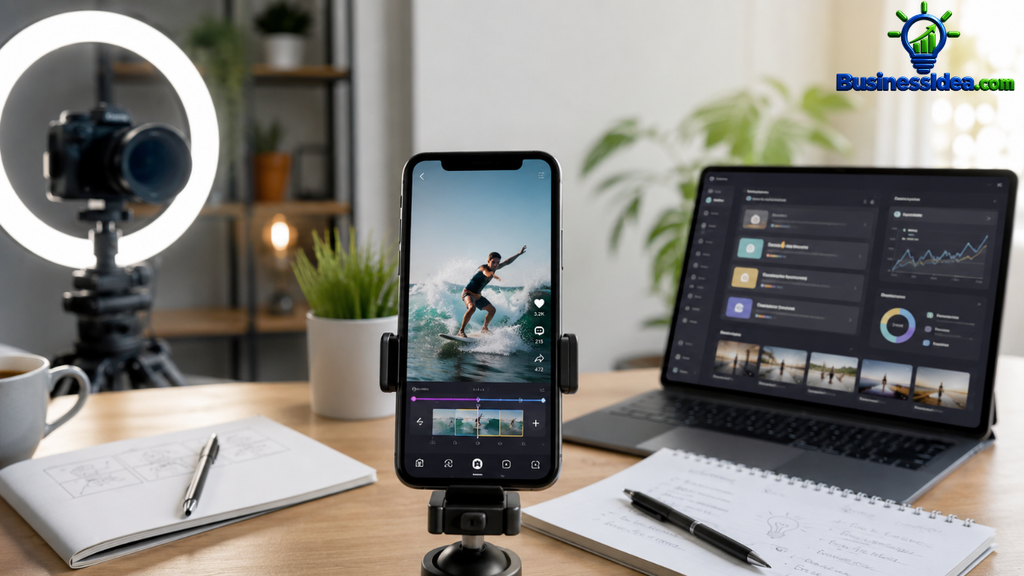
Businesses, creators, coaches, restaurants, real estate agents, and online stores all need video content to attract customers. But many of them do not have enough time to edit videos every day.
That creates an opportunity for people who want to start a video editing business from home. With AI-powered tools, beginners can speed up tasks such as adding captions, removing pauses, cleaning audio, and resizing videos for different platforms.
Recent 2026 business trend reports also point to growing demand for AI-assisted video creation and human editing services. Fiverr reported strong growth in demand for AI video and animation, along with increased demand for short-form video editing.
Fiverr
The opportunity is not simply to generate videos with AI. It’s about helping clients turn raw footage into polished videos ready to publish.
In this guide, you will learn how to start, which tools to use, what services to offer, how to set prices, and how to find your first clients—even if you are starting with a small budget.
1. What Is an AI Video Editing Business?
Table of Contents
An AI video editing business provides video editing services to people and companies using traditional editing skills and AI-powered tools.
For example, a fitness coach might record a 20-minute workout explanation. You could turn that recording into five short videos, add subtitles, improve the audio, highlight important moments, and prepare the clips for Instagram Reels, YouTube Shorts, and TikTok.
The client receives ready-to-publish content, while you earn money for the editing service.
You do not need to own an expensive camera or studio to get started. Many clients can provide their own footage.
2. Why Start This Business in 2026?
Video content is useful across many industries, but creating it consistently takes time. AI tools can help editors complete repetitive tasks faster, while human judgment remains important for storytelling, pacing, branding, and accuracy.
Fiverr’s 2026 Business Trends Index reported that demand for AI video and animation services had grown substantially, alongside a 27% increase in searches for short-form video editing services in its measured period. These figures reflect activity on Fiverr, not the entire global market, but they offer a useful demand signal.
Fiverr
Here are a few reasons this business may be worth testing:
- Low startup cost: You can begin with a computer you already own and free editing software.
- Work from home: Most projects can be delivered online.
- Repeat customers: Businesses often need new videos every week or month.
- Different customer types: You can work with creators, shops, agencies, coaches, and local businesses.
- Room to specialise: You can focus on one industry instead of competing with every video editor online.
One important point: growing demand does not guarantee that you will get clients. Your results depend on the quality of your work, your pricing, and how effectively you market your services.
3. What Services Can You Sell?
You do not need to offer every kind of video editing at the beginning. Start with two or three services and expand when you understand what clients actually need.
Short-form video editing
Edit Instagram Reels, TikTok videos, and YouTube Shorts. Add captions, remove unnecessary pauses, improve pacing, and add suitable music.
Illustrative starting price: $10–$30 per video

YouTube video editing
Edit longer videos, remove mistakes, improve audio, add graphics, and create a more engaging viewing experience.
Illustrative starting price: $40–$150 per video

Product and advertising videos
Create short promotional videos from client-supplied product footage, photos, text, and brand assets.
Illustrative starting price: $25–$100 per video

Podcast clips
Turn long podcast recordings into short highlights with subtitles, speaker framing, and clear openings.
Illustrative starting price: $15–$40 per clip

These prices are examples for testing your offer, not guaranteed market rates. Actual rates depend on video length, complexity, revisions, deadlines, and the client’s budget.
4. Best AI Video Editing Tools for Beginners
You can start with free plans and upgrade only when a paying project requires additional features. Check each tool’s current plan limits and commercial-use terms before using it for client work.
CapCut
Useful for short-form videos, captions, transitions, effects, and social-media formats. A practical first tool for learning basic editing.

Descript
Useful for talking-head videos, podcasts, transcript-based editing, and removing unwanted sections of recordings.

Canva
Helpful for simple promotional videos, branded text, thumbnails, and social-media graphics.

Adobe Premiere
A more advanced option for detailed editing, audio adjustments, color correction, and complex client projects. It is generally a paid tool.

You can also use ChatGPT to brainstorm video hooks, titles, captions, and content ideas. Always review AI-generated text for mistakes and make sure it matches the client’s brand.
My recommendation: Begin by learning one editor well instead of trying to master five tools at once.
5. How Much Money Do You Need to Start?
Your initial cost depends on the computer and software you already have.
| Item | Possible starting cost |
|---|---|
| Existing computer and internet | No extra purchase |
| Free editing software | $0 |
| Portfolio samples | $0 |
| Basic business email | $0–$10/month |
| Optional paid editing tools | Varies |
| Optional marketing budget | $0 initially |
You can test the idea without buying expensive equipment. However, your internet connection, storage space, computer performance, and time will affect how efficiently you can work.
Do not pay for several subscriptions before you have tested your skills and spoken to potential customers.
6. How to Create a Portfolio Without Clients
This is one of the most important steps. A potential client needs evidence that you can edit a good video.
Follow this simple process:
- Choose a niche, such as restaurants, fitness coaches, real estate, or podcasts.
- Find footage that you are allowed to use, such as your own recordings or properly licensed stock footage.
- Create three sample videos in the style you want to sell.
- Add readable captions, a clear opening, clean cuts, and suitable audio.
- Export each sample in the correct format for its intended platform.
- Place the samples in a Google Drive folder or a simple portfolio page.
- Label the videos as portfolio samples rather than claiming they were paid client projects.
For example, create three sample videos for a fictional restaurant:
- A 15-second food promotion.
- A 30-second behind-the-scenes clip.
- A short video featuring a menu item and a call to action.
You now have something concrete to show restaurant owners.
Never use copyrighted footage, music, or someone else’s work in a way that violates their rights. Do not present a sample as an actual client’s campaign if it was not.
7. How to Find Your First Paying Clients
You can have excellent editing skills and still struggle if nobody knows you offer the service. Make finding customers part of your weekly routine.
Method 1: Contact local businesses
Look for businesses that already post videos but could improve their editing. Restaurants, gyms, real estate agents, salons, and small online stores are possible prospects.
Send a short, personalized message explaining what you can help with. Avoid sending identical spam messages to hundreds of accounts.
Method 2: Use freelance marketplaces
You can create a profile on platforms such as:
- Upwork — https://www.upwork.com/
- Fiverr — https://www.fiverr.com/
Show your portfolio, describe your deliverables clearly, and apply for projects that match your current skills. Competition is real, so do not expect every application to receive a reply.
Method 3: Work with content creators
Creators who publish frequently may need help editing their long videos into several short clips. Offer a clearly defined trial project with a fixed price and turnaround time.
Method 4: Build relationships with marketing agencies
Small agencies sometimes need extra editing capacity. If you deliver reliable work, an agency may send repeat projects without requiring you to find each end client yourself.
A message you can send to a potential client
Hi! I help businesses turn their raw footage into engaging short-form videos for Instagram Reels, TikTok, and YouTube Shorts.
I can help with clean editing, captions, pacing, and branded text. I’d be happy to share a few samples so you can see my style.
Would you be interested in discussing a small trial project?
Personalize the first sentence to the business you are contacting. A genuine message about their content is more useful than a generic sales pitch.
8. How to Set Your Prices and Monthly Packages
A monthly package can make your income more predictable than relying entirely on one-off projects.
Here is an example of how you could structure your services.
| Package | Deliverables | Example price |
|---|---|---|
| Starter | 4 short videos per month | $80 |
| Growth | 8 short videos per month | $180 |
| Business | 12 short videos per month | $300 |
These are illustrative prices for planning, not promises of what clients will pay. Adjust them to your experience, market, editing complexity, and time required.
Before accepting a project, define:
- Maximum video length.
- Number of revisions.
- Whether the client supplies footage and music.
- Delivery deadlines.
- Whether subtitles, graphics, and thumbnails are included.
- Payment terms and usage rights.
For example, a package of 12 videos that takes 24 hours to complete at $300 generates $12.50 per working hour before expenses and taxes. If it takes 40 hours, the effective rate falls to $7.50 per hour.
This is why tracking your time matters. A higher price is not necessarily better if the project requires too much work.
9. Example: What Could You Earn Each Month?
Let’s use a simple hypothetical example.
Illustrative monthly revenue
$900
Based on three clients paying $300 each
Client A
Monthly video package
$300
Client B
Monthly video package
$300
Client C
Monthly video package
$300
This is gross revenue, not guaranteed earnings or take-home profit. Software, payment fees, taxes, unpaid sales time, and other costs are not deducted.
Use this calculator to explore different client counts and package prices.
Monthly revenue calculator
Number of clients
3
1
8
15Monthly price per client
$300
$50
$500
$1,000
Estimated monthly gross revenue
$900
Actual revenue depends on finding and retaining paying clients.
Do not build your financial plan around the best-case number. Start by trying to secure one paying customer, deliver excellent work, and use the experience to improve your offer.
10. A Practical 30-Day Plan
You do not need to complete everything in one day. Give yourself a simple schedule.
Days 1–7
Learn the basics
Choose one editing tool. Practice trimming footage, adding captions, improving audio, using transitions carefully, and exporting vertical videos.
Days 8–14
Build your portfolio
Create three to five quality samples. Choose one niche and prepare a clear list of services and prices.
Days 15–21
Start outreach
Contact relevant businesses, apply for suitable freelance projects, and ask potential clients what kind of video help they need.
Days 22–30
Improve and follow up
Follow up politely, refine your samples based on feedback, and try to secure a paid trial project. Track which outreach methods get responses.
This plan gives you a starting structure, not a guarantee of earning money within 30 days. You may need more time to build skills or find customers.
11. Common Mistakes to Avoid
Relying completely on AI: Automated captions and edits can contain mistakes. Watch the final video before delivering it.
Offering too many services: Begin with a focused offer so customers understand exactly what they are buying.
Charging too little: Include time spent downloading files, editing, communicating, exporting, and making revisions when calculating your price.
Using unlicensed content: Use footage, images, and audio that you have permission to use commercially.
Ignoring client communication: Confirm the brief, deadlines, revisions, and delivery format before starting.
Buying expensive software too early: Validate demand first. Upgrade when a paid project justifies the expense.
Promising viral results: You can improve editing quality and presentation, but you cannot guarantee views, followers, or sales.
12. Frequently Asked Questions
Can I start an AI video editing business with no experience?
Yes, you can begin learning with free tools and practice projects. However, you should develop basic editing skills and create a portfolio before charging clients.
Do I need a powerful computer?
Not necessarily for simple short-form videos, but the requirements depend on your editor, footage resolution, effects, and project size. Test your current computer before purchasing new equipment.
Can I run this business from my phone?
Some mobile editors are capable of producing short videos, but a computer generally makes longer projects, file management, and detailed editing easier.
How long does it take to get the first client?
There is no reliable universal timeline. It depends on your skills, portfolio, pricing, niche, outreach, and the demand you find.
Can AI do all the editing for me?
AI can speed up some tasks, but it does not remove the need for quality control, creative decisions, client communication, and reliable delivery.
Is this business suitable for students and beginners?
It can be, provided you have enough time to practise, meet deadlines, and communicate professionally. Start with small projects that match your current ability.
Conclusion
Starting an AI video editing business from home in 2026 can be a practical way to explore online service work without immediately investing in expensive equipment. The strongest starting point is simple: learn one tool, choose a specific type of customer, create a few good samples, and test whether people will pay for your service.
AI can make parts of the editing process faster, but clients ultimately pay for videos that communicate clearly and serve their goals. Focus on quality, reliability, and honest promises rather than chasing overnight success.
Start small, improve with every project, and let real customer feedback guide the business.






Pingback: How to Start a Profitable AI Automation Business in 2026